









 Mr Dũng

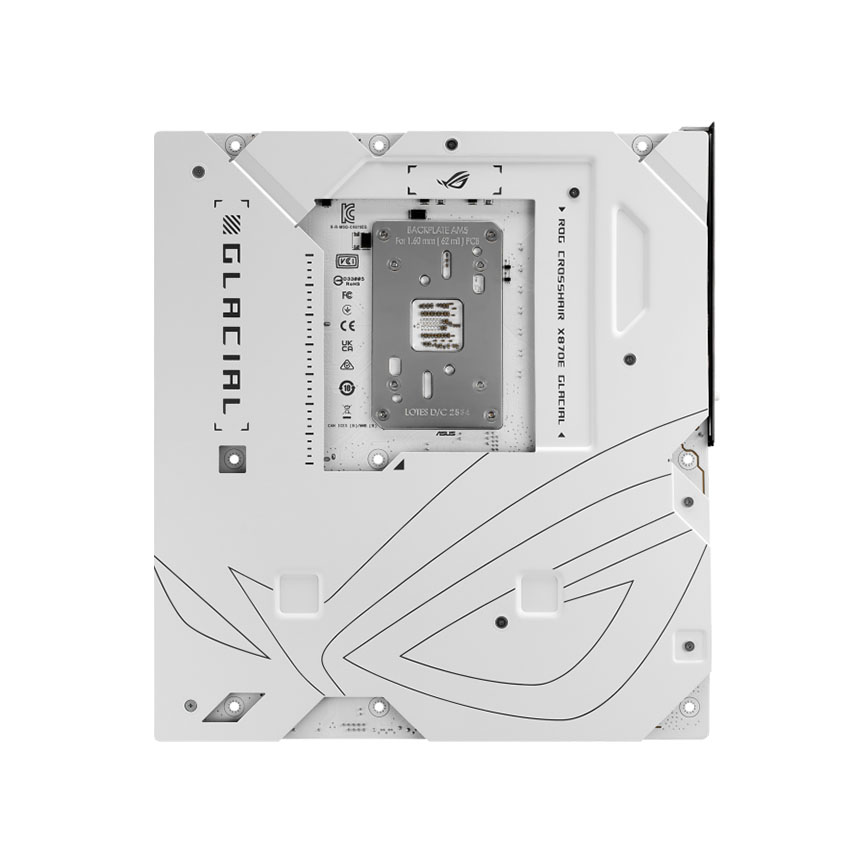
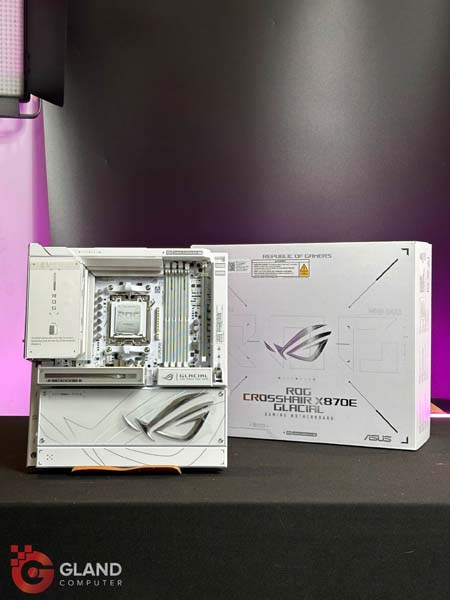
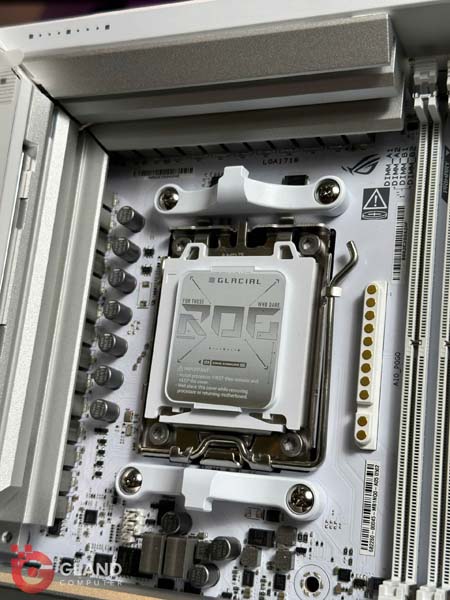
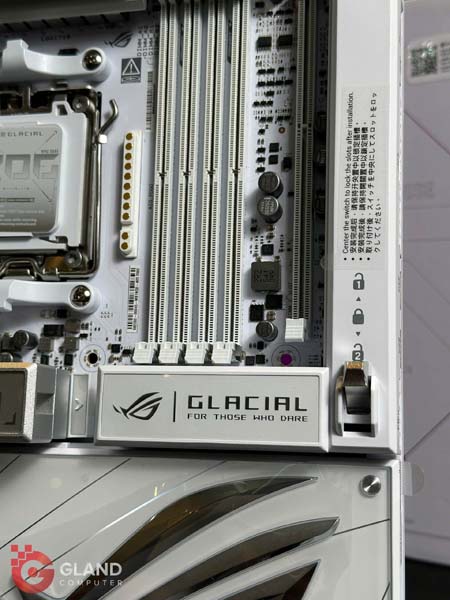
|
Model |
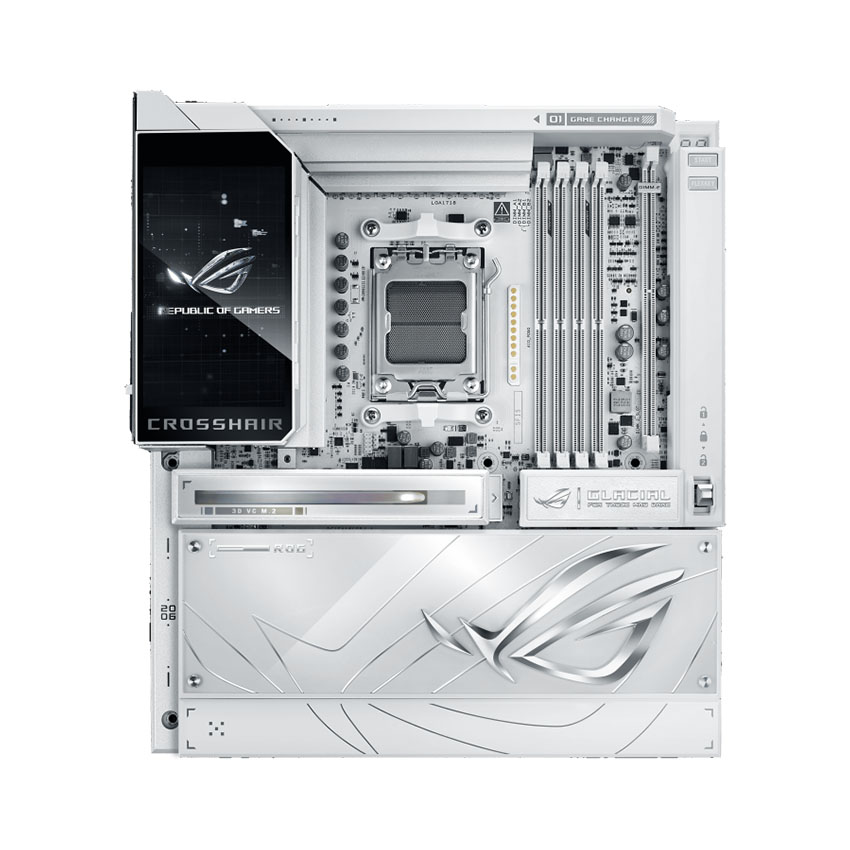
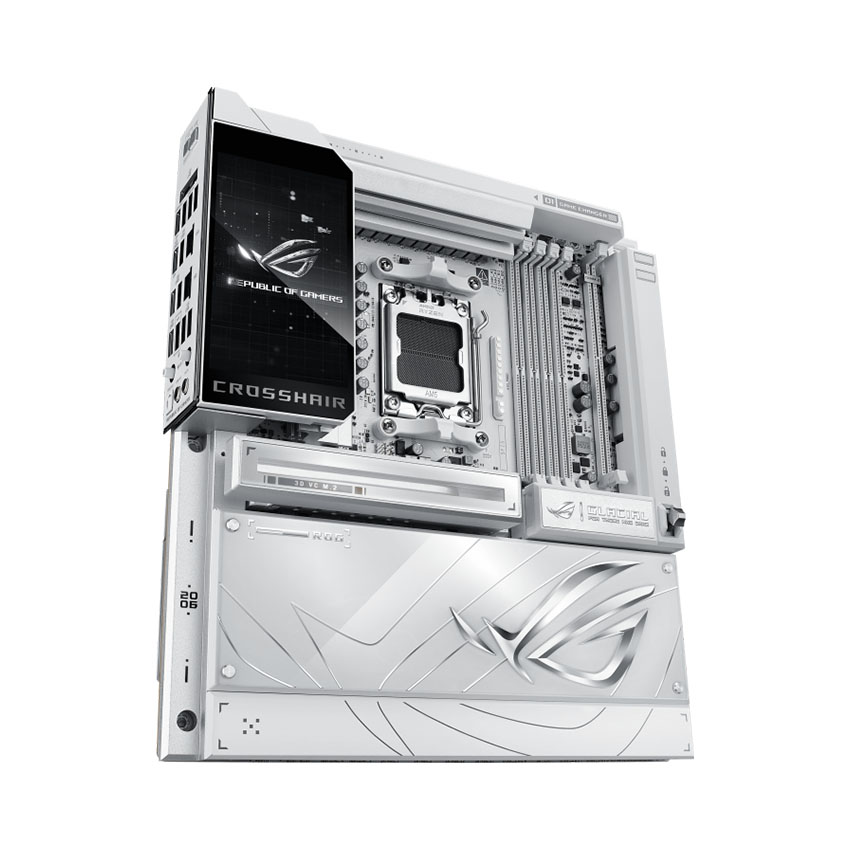
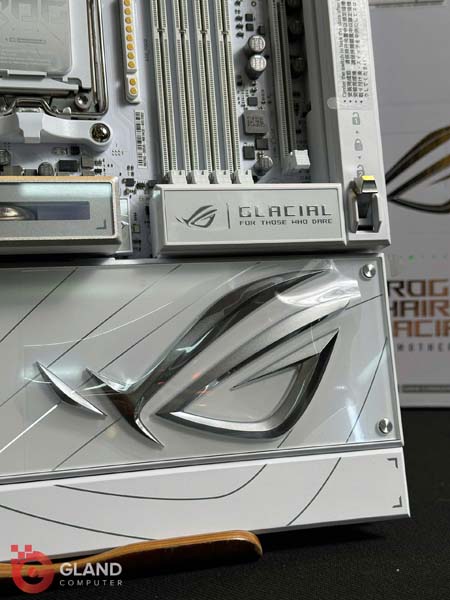
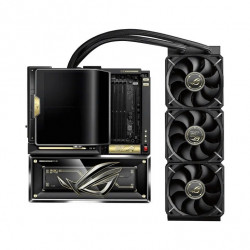
ROG CROSSHAIR X870E GLACIAL |
|
CPU |
AMD Socket AM5 for AMD Ryzen™ 9000 & 8000 & 7000 Series Desktop Processors* |
|
AMD Socket AM5 for AMD Ryzen™ 9000 & 8000 & 7000 Series Desktop Processors* |
* Refer to https://www.asus.com/support/download-center/ for CPU support list. |
|
Chipset |
AMD X870E |
|
Memory |
4 x DIMM slots, max. 256GB, DDR5 |
| Supports up to | |
| 8600+MT/s(OC)**/8200+MT/s(OC)*** with Ryzen™ 9000 Series Processors, | |
| 9600+MT/s(OC)**/9200+MT/s(OC)*** with Ryzen™ 8000 Series Processors, | |
| 8000+MT/s(OC)**/8000+MT/s(OC)*** with Ryzen™ 7000 Series Processors, | |
| ECC and Non-ECC, Un-buffered DIMM* | |
| Dual Channel Memory Architecture | |
| Supports AMD Extended Profiles for Overclocking (EXPO™) | |
| Supports DIMM Fit and DIMM Fit Pro | |
| ASUS Enhanced Memory Profile (AEMP) | |
| NitroPath DRAM Technology | |
|
Graphics |
2 x USB4® (40Gbps) ports support USB Type-C® display outputs** |
| * Graphics specifications may vary between CPU types. Please refer to AMD CPU specifications. | |
| ** Supports max. 4K@60Hz as specified in DisplayPort 1.4a | |
| *** The display function of the Type-C® port depends on the resolution supported by your processor or graphics card. For more details, please refer to the product manual. | |
|
Expansion Slots |
AMD Ryzen™ 9000 & 7000 Series Desktop Processors* |
| 2 x PCIe 5.0 x16 slots with PCIe Q-Release Switch (supports x16 or x8/x8 or x8/x4/x4 modes)** | |
| AMD Ryzen™ 8700 & 8600 & 8400 Series Desktop Processors* | |
| 2 x PCIe 4.0 x16 slots with PCIe Q-Release Switch (only supports PCIEx16(G5)_1 & total bandwidth for x8, PCIEx16(G5)_2 will run at PCIe 3.0 x4) | |
| AMD Ryzen™ 8500 & 8300 Series Desktop Processors* | |
| 2 x PCIe 4.0 x16 slots with PCIe Q-Release Switch (only supports PCIEx16(G5)_1 & total bandwidth for x4, PCIEx16(G5)_2 will run at PCIe 3.0 x4) | |
| * Please check the PCIe bifurcation table on the support site (https://www.asus.com/support/FAQ/1037507/). | |
| * Specifications vary by CPU types. | |
| ** When PCIEX16_1 runs at PCIe 5.0 x16, PCIEX16_2 will run at PCIe 3.0 x4. The bandwidth can be altered in the BIOS. | |
| - To ensure compatibility of the device installed, please refer to https://www.asus.com/support/ for the list of supported | |
|
Storage |
Supports up to 7 x M.2 slots and 4 x SATA 6Gb/s ports |
| AMD Ryzen™ 9000 & 7000 Series Desktop Processors* | |
| M.2_1 slot (Key M), type 2242/2260/2280/22110 (supports PCIe 5.0 x4 mode) | |
| M.2_2 slot (Key M), type 2242/2260/2280 (supports PCIe 5.0 x4 mode)** | |
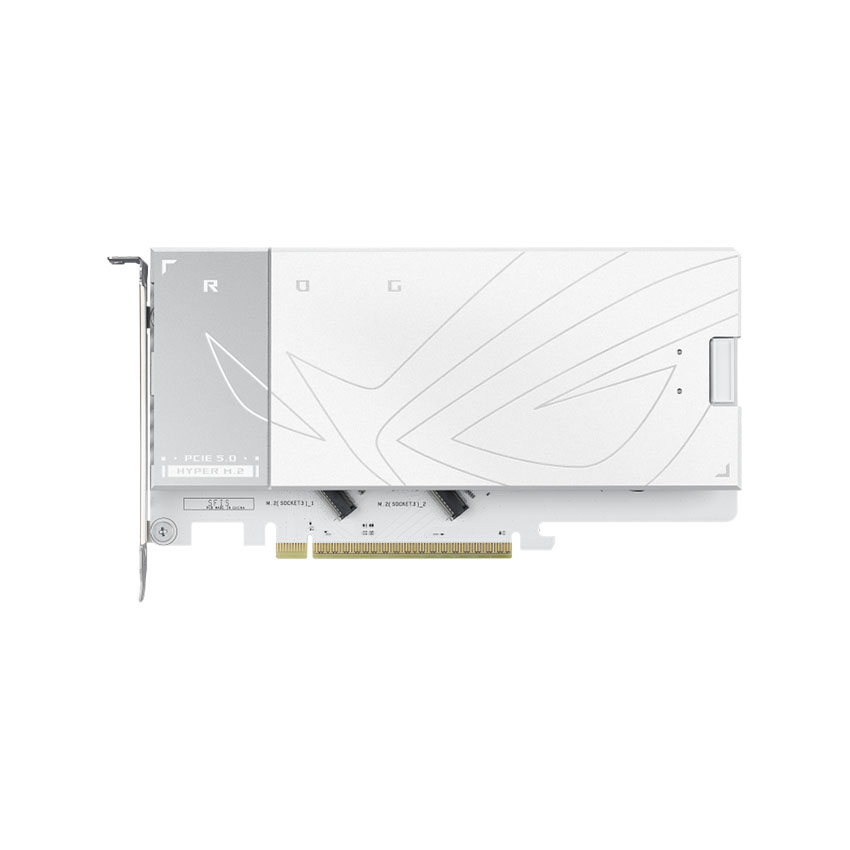
| Hyper M.2_1 slot (Key M) via ROG Hyper M.2 card, type 2230/2242/2260/2280/22110 (suppports PCIe 5.0 x4 mode) | |
| Hyper M.2_2 slot (Key M) via ROG Hyper M.2 card, type 2230/2242/2260/2280/22110 (suppports PCIe 5.0 x4 mode) | |
| AMD Ryzen™ 8700 & 8600 & 8400 Series Desktop Processors* | |
| M.2_1 slot (Key M), type 2242/2260/2280 (supports PCIe 4.0 x4 mode) | |
| M.2_2 slot (Key M), type 2242/2260/2280 (supports PCIe 4.0 x4 mode)** | |
| AMD Ryzen™ 8500 & 8300 Series Desktop Processors* | |
| M.2_1 slot (Key M), type 2242/2260/2280 (supports PCIe 4.0 x4 mode) | |
| M.2_2 slot (Key M), type 2242/2260/2280 (Not supports) | |
| AMD X870E Chipset | |
| M.2_3 slot (Key M), type 2242/2260/2280 (supports PCIe 4.0 x4 mode) | |
| DIMM.2_1 slot (Key M) via ROG Q-DIMM.2, type 2230/2242/2260/2280/22110 (supports PCIe 4.0 x4 mode) | |
| DIMM.2_2 slot (Key M) via ROG Q-DIMM.2, type 2230/2242/2260/2280/22110 (supports PCIe 4.0 x2 mode) | |
| 2 x SATA 6Gb/s ports | |
| ASMedia ASM1162 Controller | |
| 2 x SATA 6Gb/s ports | |
| * Specifications vary by CPU types. | |
| ** USB 40Gbps Type-C® ports on the back panel and M.2_2 slot share PCIe 5.0 x4 bandwidth. Both run at PCIe 5.0 x2 when a device is installed in the M2_2 slot. You can switch M2_2 to PCIe 5.0 x4 in the BIOS, but this will disable the USB 40Gbps Type-C® ports. | |
|
RAID Support |
AMD RAIDXpert2 Technology |
| Ryzen™ 9000 & 8000 & 7000 Series Processors: RAID 0/1/5/10* | |
| *SATA ports from ASM1162 cannot support RAID | |
|
Ethernet |
2 x Realtek 10Gb Ethernet |
| ASUS LANGuard | |
|
Wireless & Bluetooth |
|
|
Wireless & Bluetooth |
Wi-Fi 7 (MediaTek MT7927) |
| 2x2 Wi-Fi 7* (802.11be) | |
| Supports 2.4/5/6GHz frequency band** | |
| Supports Wi-Fi 7 320MHz bandwidth | |
| Bluetooth® v5.4 (support LE Audio)*** | |
| *Wi-Fi features may vary depending on the operating system. | |
| For Windows 11, Wi-Fi 7 will require 24H2 or later version for full functions, Windows 11 21H2/22H2/23H2 only support Wi-Fi 6E. | |
| For Windows 10, please note that no driver is available, refer to the Wi-Fi chipset vendor's website for details. | |
| ** Wi-Fi 6GHz frequency band and bandwidth regulatory may vary between countries. | |
| *** The Bluetooth® version may vary, please refer to the Wi-Fi module manufacturer's website for the latest specifications. | |
|
USB |
Rear USB (Total 14 ports) |
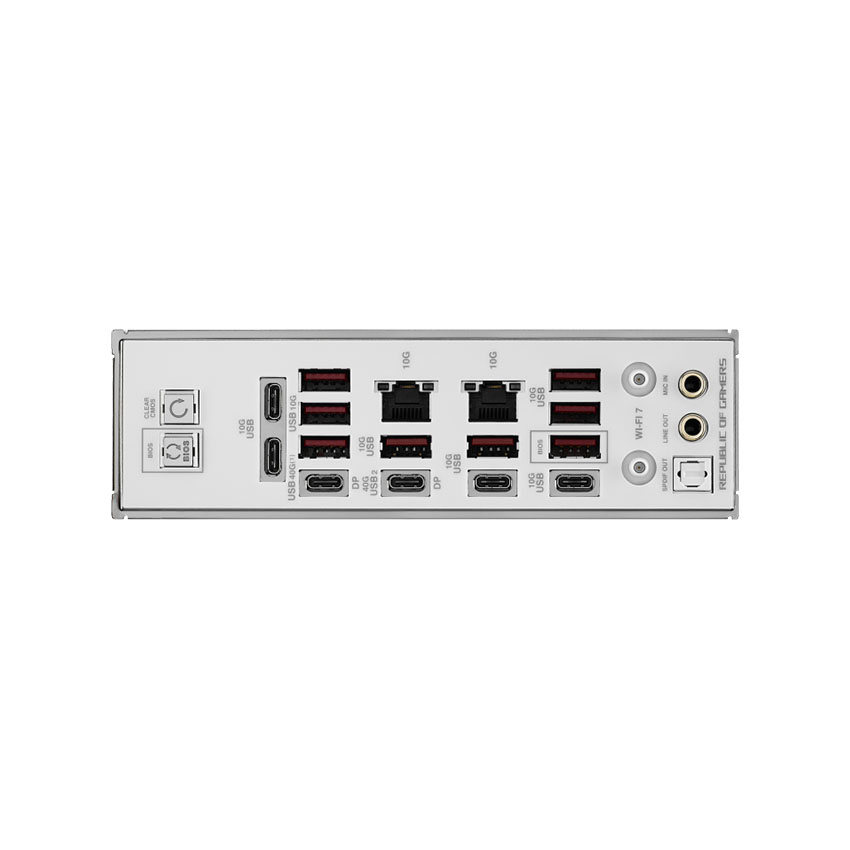
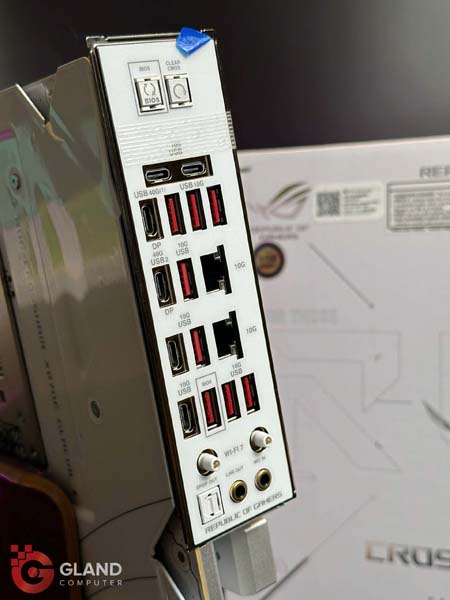
| 2 x USB4® (40Gbps) ports (2 x USB Type-C®) | |
| 12 x USB 10Gbps ports (8 x Type-A + 4 x USB Type-C®) | |
| Front USB (Total 12 ports) | |
| 1 x USB 20Gbps connector (supports USB Type-C® with up to 60W PD/QC4+)* | |
| 1 x USB 20Gbps connector (supports USB Type-C®) | |
| 2 x USB 5Gbps headers support 4 additional USB 5Gbps ports | |
| 3 x USB 2.0 headers support 6 additional USB 2.0 ports | |
| USB Type-C® power delivery output: max. 5V/3A | |
| *USB Type-C® power delivery output: 5/9/15/20V max. 3A, PPS:3.3–21V max. 3A | |
|
Audio |
ROG SupremeFX 7.1 Surround Sound High Definition Audio CODEC ALC4082** |
| - Impedance sense for front and rear headphone outputs | |
| - Supports: Jack-detection, Multi-streaming, Front Panel MIC Jack-retasking | |
| - High quality 120 dB SNR stereo playback output and 110 dB SNR recording input | |
| - Supports up to 32-Bit/384 kHz playback on front panel | |
| Audio Features | |
| - SupremeFX Shielding Technology | |
| - ESS® ES9219 QUAD DAC | |
| - LED-illuminated audio jacks | |
| - Rear optical S/PDIF out port- Premium audio capacitors | |
| * A chassis with an HD audio module in the front panel is required to support 7.1 Surround Sound audio output. | |
| ** The LINE OUT port on the rear panel does not support spatial audio. If you wish to use spatial audio, make sure to connect your audio output device to the audio jack on the front panel of your chassis or use a USB interface audio device. | |
|
Back Panel I/O Ports |
2 x USB4® (40Gbps) ports (2 x USB Type-C®) |
| 12 x USB 10Gbps ports (8 x Type-A + 4 x USB Type-C®) | |
| 1 x Wi-Fi Module2 x Realtek 10Gb Ethernet ports | |
| 2 x LED-illuminated audio jacks1 x Optical S/PDIF out port | |
| 1 x BIOS FlashBack™ button | |
| 1 x Clear CMOS button | |
|
Internal I/O Connectors |
Fan and Cooling related |
| 1 x 4-pin CPU Fan header | |
| 1 x 4-pin CPU OPT Fan header | |
| 2 x 4-pin Chassis Fan headers | |
| 2 x 4-pin Radiator Fan headers | |
| 2 x W_PUMP+ headers | |
| 1 x AIO Q-Connector | |
| 1 x Extra Flow Fan header | |
| Power related | |
| 1 x 24-pin Main Power connector | |
| 2 x 8-pin +12V CPU Power connector | |
| 1 x 8-pin PCIe Power connector | |
| Storage related | |
| 3 x M.2 slots (Key M) | |
| 1 x DIMM.2 slot supports 2 x M.2 slots (Key M) | |
| 4 x SATA 6Gb/s ports | |
| USB | |
| 2 x USB 20Gbps connector (supports USB Type-C®) | |
| 2 x USB 5Gbps headers support 4 additional USB 5Gbps ports | |
| 3 x USB 2.0 headers support 6 additional USB 2.0 ports | |
| Miscellaneous | |
| 1 x 6-pin ARGB Gen 2 header to support 2 x ARGB Gen 2 headers | |
| 2 x Addressable Gen 2 header | |
| 1 x Alteration PCIe mode switch | |
| 2 x BCLK button | |
| 1 x BIOS Switch | |
| 1 x FlexKey button | |
| 1 x Front Panel Audio header (F_AUDIO) | |
| 1 x LN2 Mode jumper | |
| 12 x ProbeIt Measurement Points | |
| 1 x ReTry button | |
| 1 x RSVD header | |
| 1 x Safe Boot button | |
| 1 x Start button | |
| 1 x 10⁻¹ pin System Panel header | |
| 1 x Thermal Sensor header | |
|
Operating System |
Windows® 11 |
|
Form Factor |
E-ATX Form Factor |
| 12 inch x 10.9 inch (30.5 cm x 27.7 cm) |
 Hotline: 0334.577.086



Hỏi và đáp (0 bình luận)